
इंस्टॉल में मददInstall help
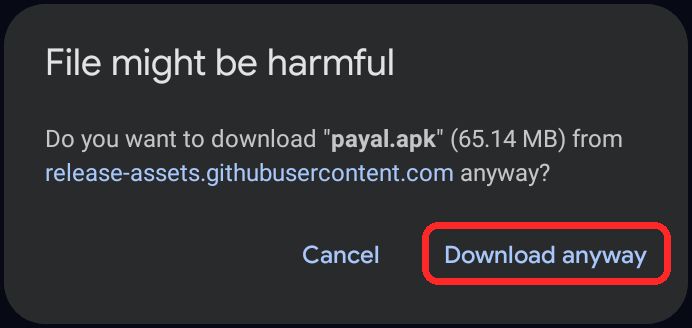
1. डाउनलोड में “File might be harmful” आए1. “File might be harmful” while downloading
वेबसाइट से डाउनलोड बटन दबाओ। Chrome यह चेतावनी दिखाएगा। लाल निशान वाला Download anyway दबाओ। फ़ाइल सिर्फ़ इसी साइट की है, इसलिए डरने की बात नहीं।Tap the download button on the website. Chrome will show this warning. Tap Download anyway (red mark). The file comes only from this site, so there is nothing to fear.
2. इंस्टॉल रुक जाए (“Install blocked”)2. Install is blocked (“Install blocked”)
डाउनलोड हुई फ़ाइल खोलो। फ़ोन कहे कि इस स्रोत से install की अनुमति नहीं है, तो Settings दबाओ।Open the downloaded file. If the phone says installing from this source is not allowed, tap Settings.
Allow from this source (इस स्रोत से अनुमति दें) का बटन चालू करो, फिर पीछे (back) जाओ।Turn on Allow from this source, then go back.
Install दबाओ। अगर “App blocked to protect your device” आए, तो More details दबाकर Install anyway चुनो।Tap Install. If you see “App blocked to protect your device”, tap More details and choose Install anyway.
3. इंस्टॉल के बाद ऐप न खुले या इंस्टॉल फ़ेल हो3. App does not open after install, or install fails
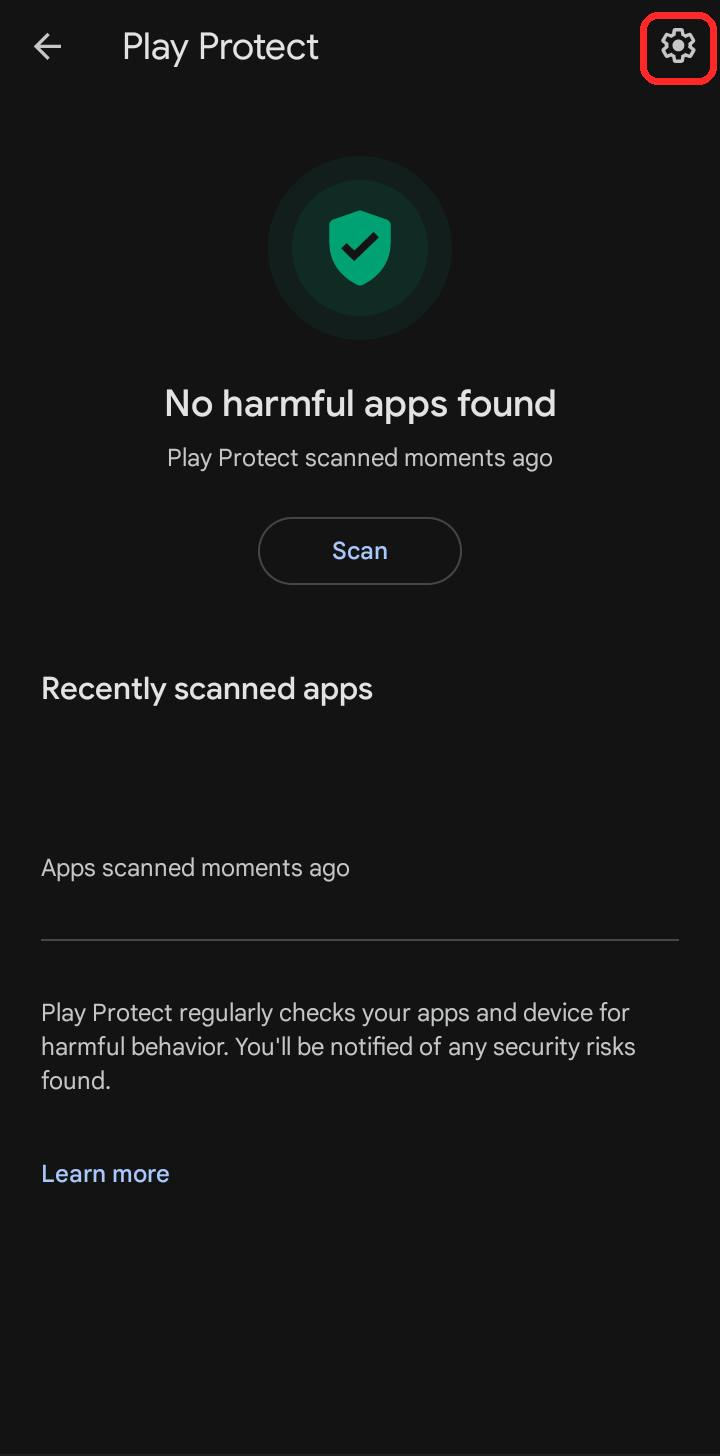
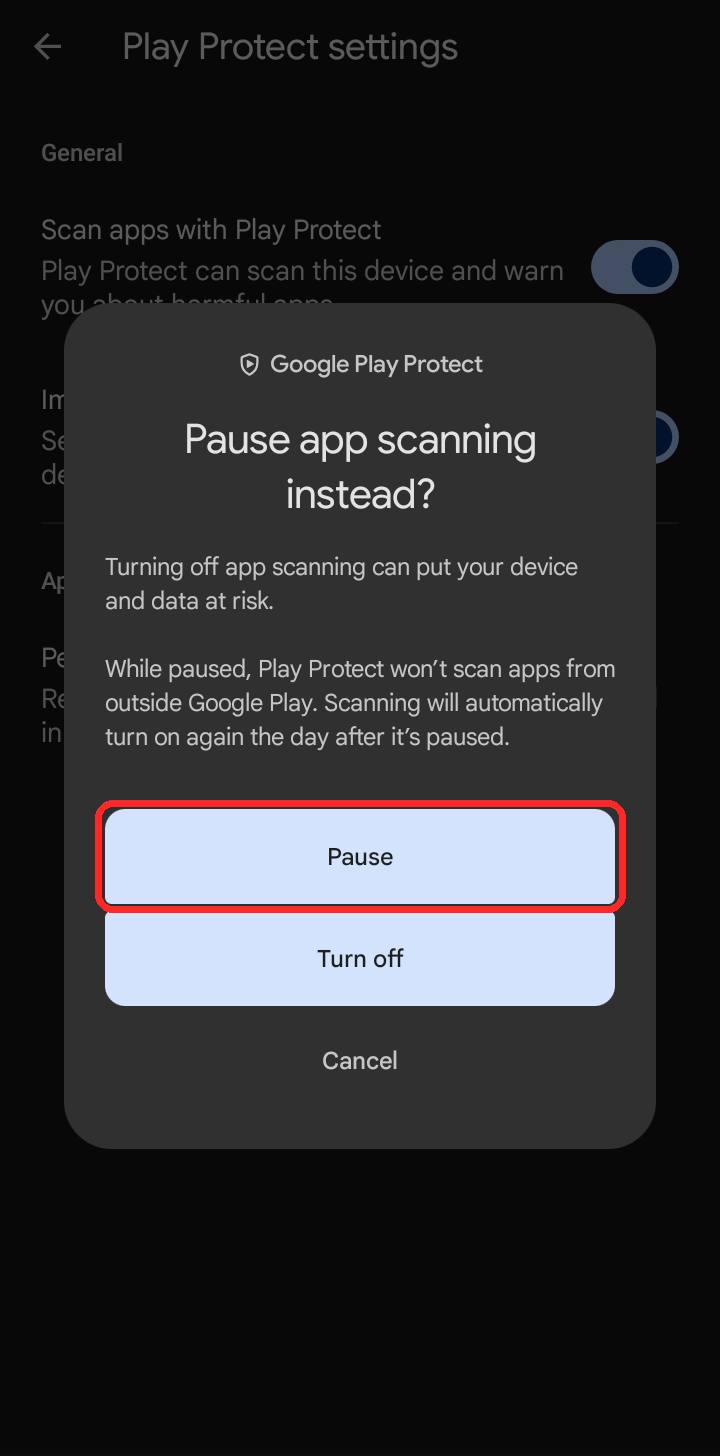
ऐसा तब होता है जब फ़ोन का Play Protect नए ऐप को रोक देता है। उसे एक दिन के लिए रोक (Pause) दो। वह अगले दिन अपने आप फिर चालू हो जाएगा, इसलिए फ़ोन असुरक्षित नहीं रहता।This happens when your phone’s Play Protect stops a new app. Pause it for one day. It turns itself back on the next day, so your phone is not left unprotected.
Play Store खोलो, ऊपर अपनी प्रोफ़ाइल दबाओ, फिर Play Protect खोलो। उसके ऊपर कोने में गियर (⚙) का निशान दबाओ।Open the Play Store, tap your profile at the top, then open Play Protect. Tap the gear (⚙) icon in the top corner.
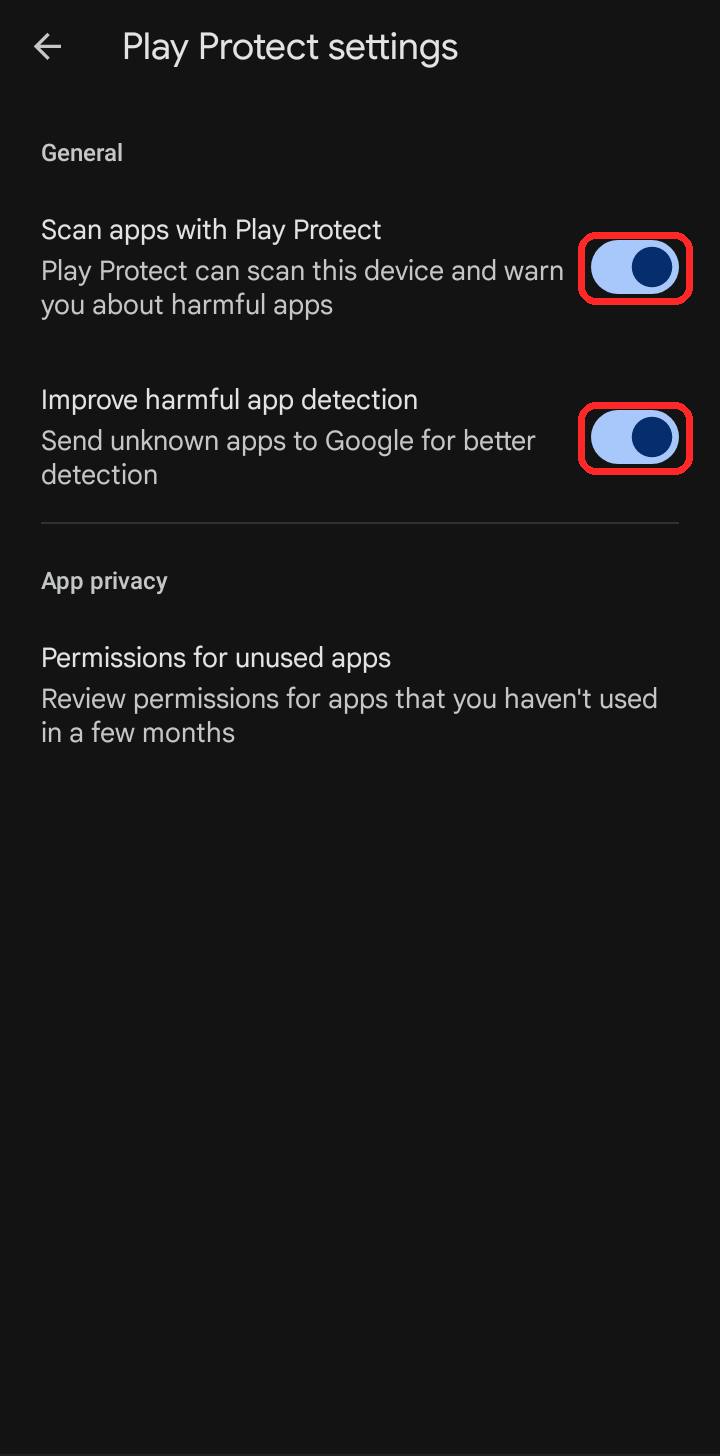
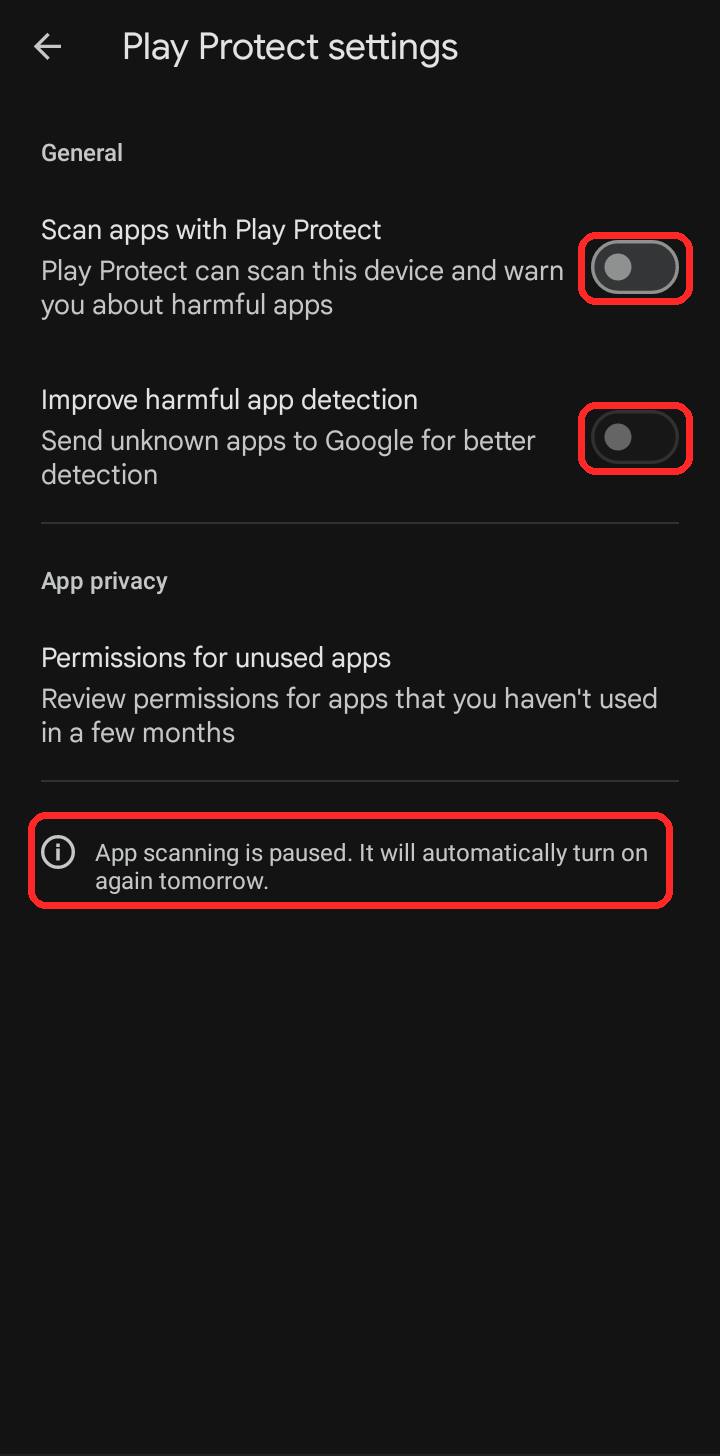
यहाँ दो बटन चालू दिखेंगे। ऊपर वाला Scan apps with Play Protect बंद करो। दबाते ही दोनों एक साथ बंद हो जाते हैं।You will see two switches turned on. Turn off the top one, Scan apps with Play Protect. Both switch off together.
बॉक्स आए तो Pause दबाओ।When the box appears, tap Pause.
अब दोनों बटन बंद दिखेंगे और नीचे “App scanning is paused” लिखा होगा। अब Payal का APK फिर से install करो और खोलो।Now both switches look off and the line “App scanning is paused” shows below. Install the Payal APK again and open it.
अगर पहले से Payal या Yesmin का पुराना ऐप फ़ोन में है और “App not installed” आए, तो पुराना ऐप हटाकर (uninstall) फिर नया install करो। पुराना हटाने से पहले अपनी API key कहीं सहेज लो, क्योंकि ऐप में दोबारा डालनी पड़ सकती है।If an older Payal or Yesmin app is already on your phone and you see “App not installed”, uninstall the old app and install the new one. Save your API key somewhere first, as you may need to enter it again.
फिर भी न हो तोStill not working?
हमें संपर्क पन्ने से WhatsApp करो और अपने फ़ोन का नाम व दिख रही चेतावनी का स्क्रीनशॉट भेजो। हम ख़ुद मदद करेंगे।Message us on WhatsApp from the contact page with your phone name and a screenshot of the warning. We will help you ourselves.